
The Trip Planner App Built for Lake Powell
Trade the scattered group chat and the spreadsheet nobody updates for one shared dashboard — a single join code gets everyone in, and everything from expenses to the dinner menu stays in sync.
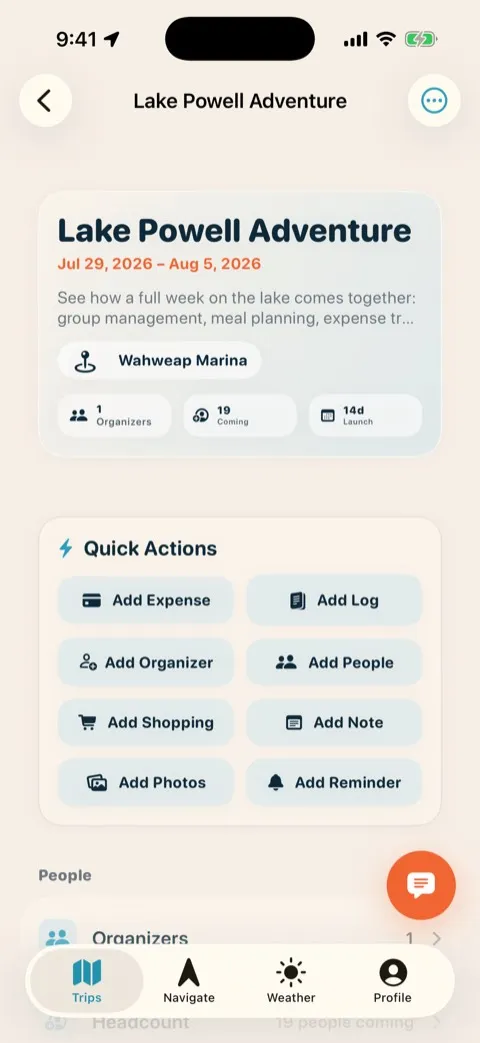
The whole trip on one screen
Dates, crew, roles, and RSVPs live in one shared place instead of six text threads. Everyone joins with a single join code and one tap — and every change syncs to every phone the moment it’s made.
- One join code — everyone is in with a single tap, no accounts to chase.
- Roles and RSVPs — who’s coming, who’s driving, who’s bringing what.
- Syncs live — edit once and it updates on everyone’s phone.
Know exactly who’s coming — and what they need
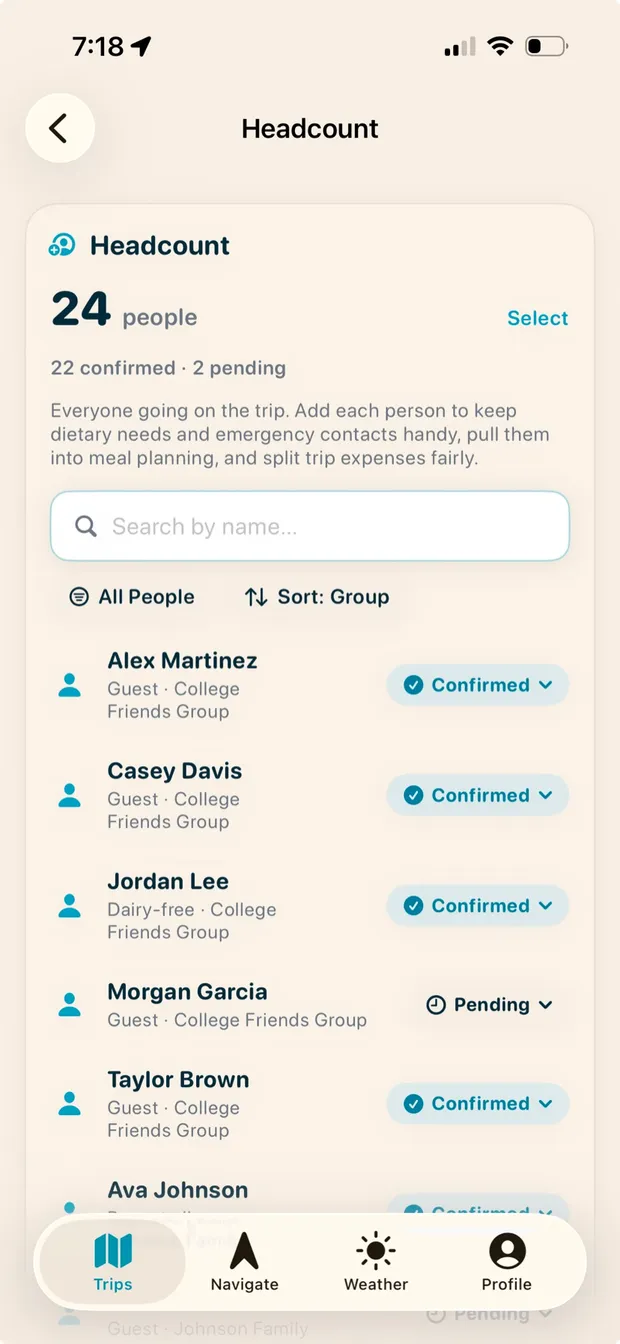
Twenty-four people across three families isn’t a text thread, it’s a logistics problem. Headcount keeps the real number in front of you — confirmed and pending — with each person’s dietary needs and emergency contact attached. And because the roster feeds the meal planner and the expense split, getting it right once means everything downstream is right too.
- Confirmed vs. pending — watch 22 of 24 lock in, and know exactly who you’re still waiting on.
- Dietary needs on the roster — the dairy-free flag follows that person straight into the meal plan.
- Emergency contacts handy — the information you hope to never need, one tap away if you do.
- Feeds everything else — meals sized and expenses split to the real headcount, not a guess.
Snap the receipt, let AI do the math
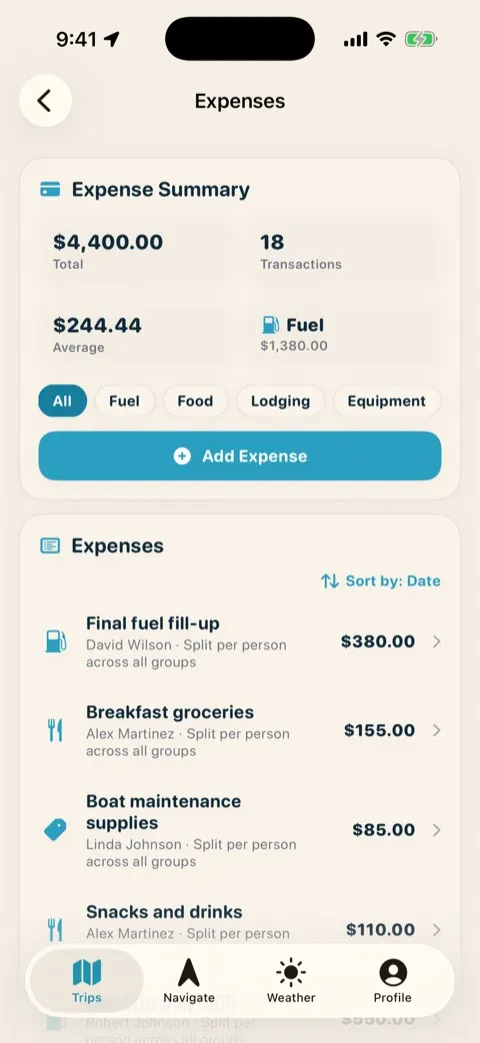
Photograph a fuel receipt or a grocery haul and AI fills in the amount and category for you. Split it evenly or by category, and watch running totals build by fuel, food, lodging, and equipment as the trip goes.
- AI receipt scan — snap the receipt and the amount and category fill themselves in.
- Split your way — evenly across the group or line-by-line by category.
- Running totals — fuel, food, lodging, and gear tallied as you spend.
Nobody chases Venmo for a month
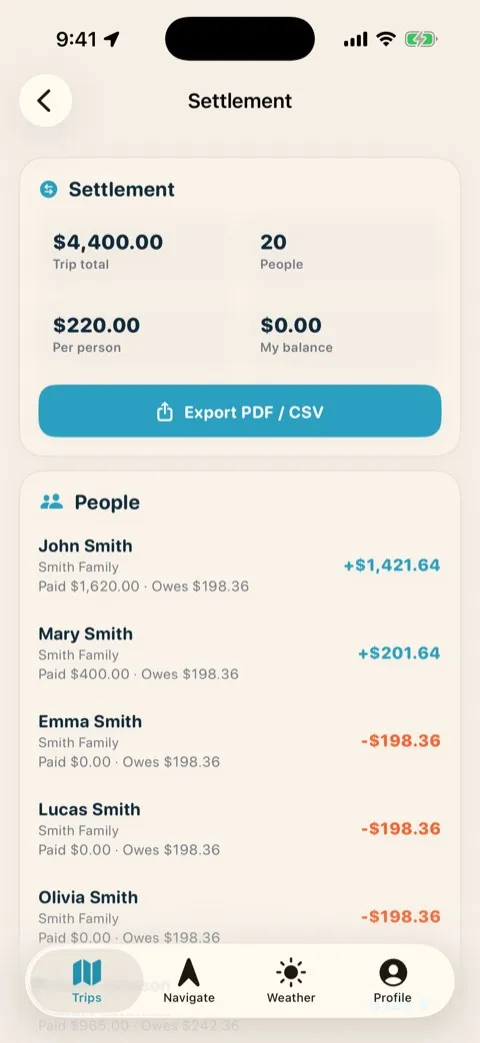
Smart settlement collapses the whole who-owes-whom tangle into the fewest possible payments, so everyone squares up in minutes instead of arguing about it all winter. Export a clean PDF or CSV and it’s done.
- Fewest payments — the tangle reduces to the smallest set of transfers.
- Export it — hand everyone a PDF or CSV of exactly what they owe.
- Squared up fast — settle on the drive home, not in February.
Shop and pack as one team
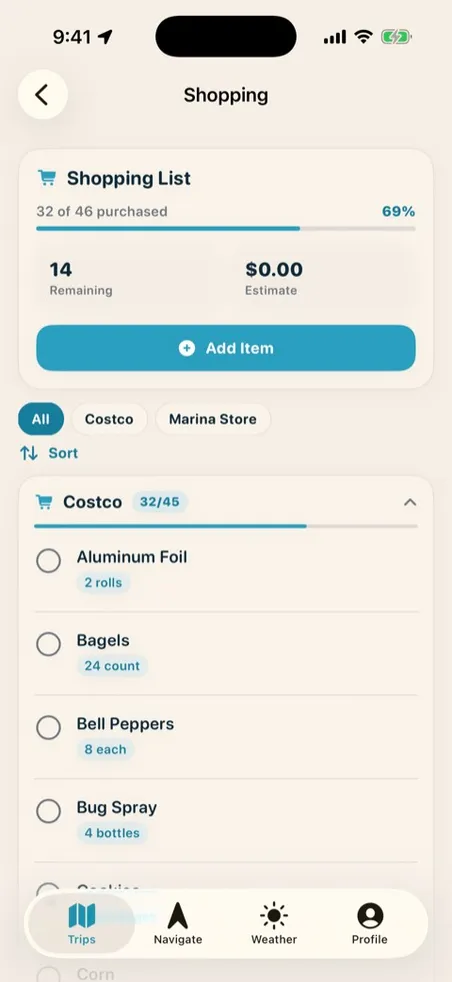
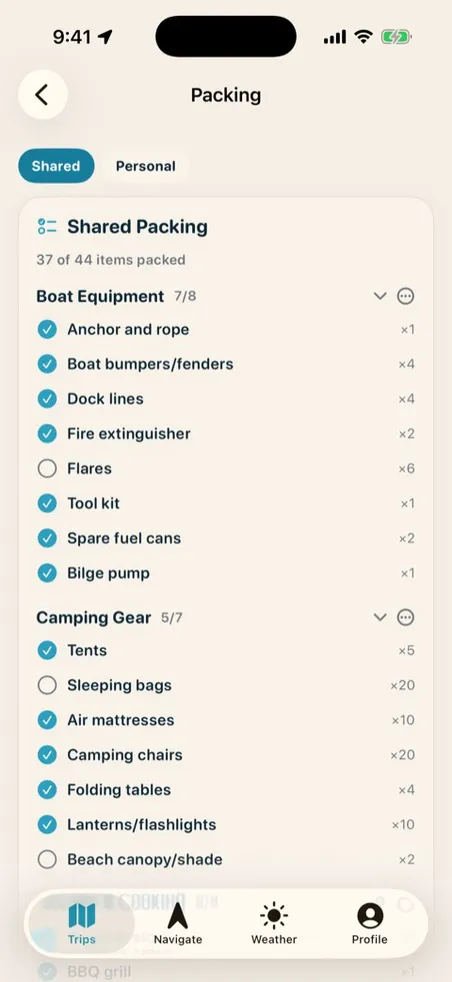
Real-time shared lists, grouped by store, that update as everyone checks things off — no two people buying the same case of water. AI import even turns a photo of a handwritten list into the list, and pre-launch checklists make sure nothing gets left on the dock.
- Shared, grouped by store — the list updates live as people shop.
- AI import — snap a handwritten list and it becomes a checklist.
- Packing & pre-launch checks — nothing left in the driveway or on the ramp.
Nothing gets left on the dock
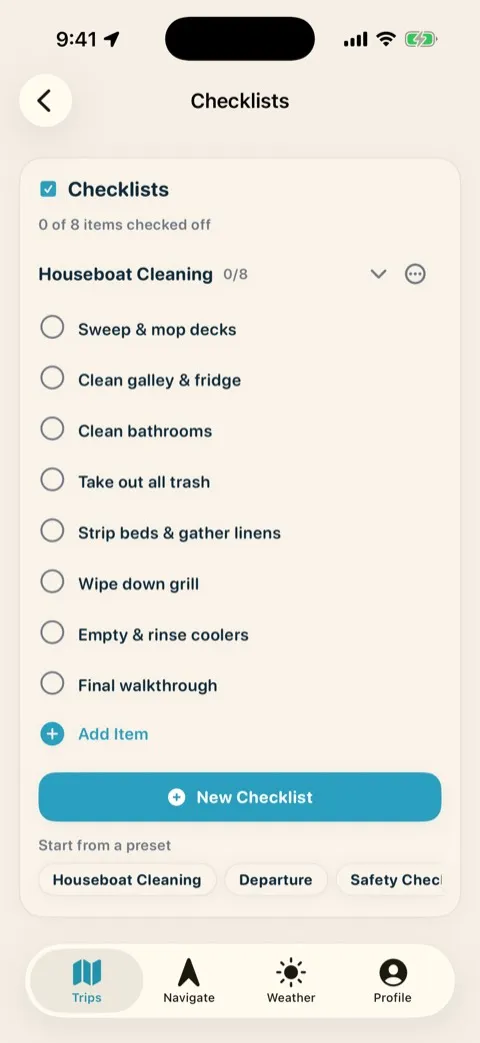
Boat prep, departure morning, safety gear — every routine that has to happen before the boat leaves lives in a shared checklist the whole group can see and check off. “Did anyone grab the keys?” stops being a question and becomes a checkbox somebody already ticked.
- Shared and live — when one person checks it off, it’s checked off for everyone.
- Boat prep to departure day — build the routine once, run it every trip.
- No repeated mistakes — the thing you forgot last year goes first on this year’s list.
A name on every dinner
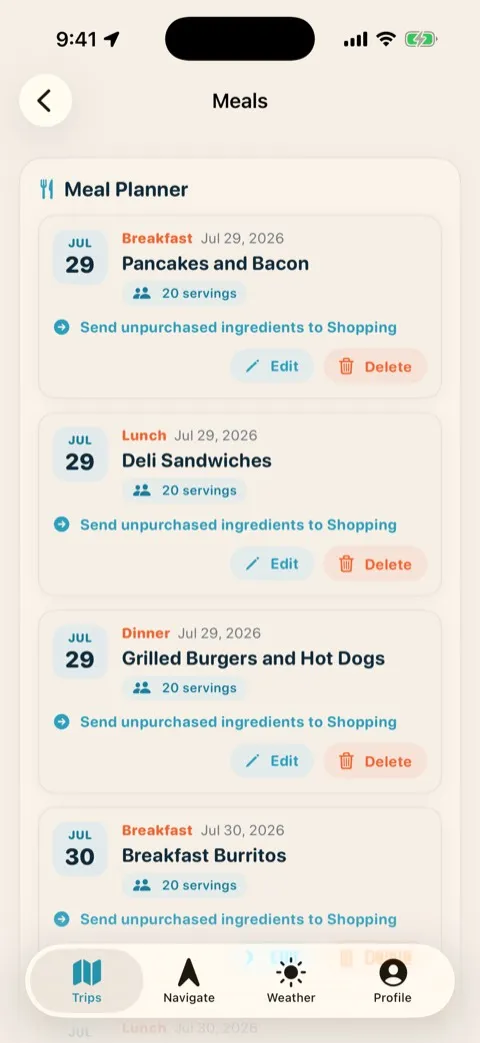
Plan the menu before you launch: servings on each meal and an assigned cook for every night, so nobody double-buys the brats and dinner isn’t a nightly negotiation.
- Assigned cook — every dinner has someone on the hook for it.
- Servings dialed in — portions sized to the actual headcount.
- No double-buys — the menu feeds straight into the shopping list.
Ten phones, one gallery
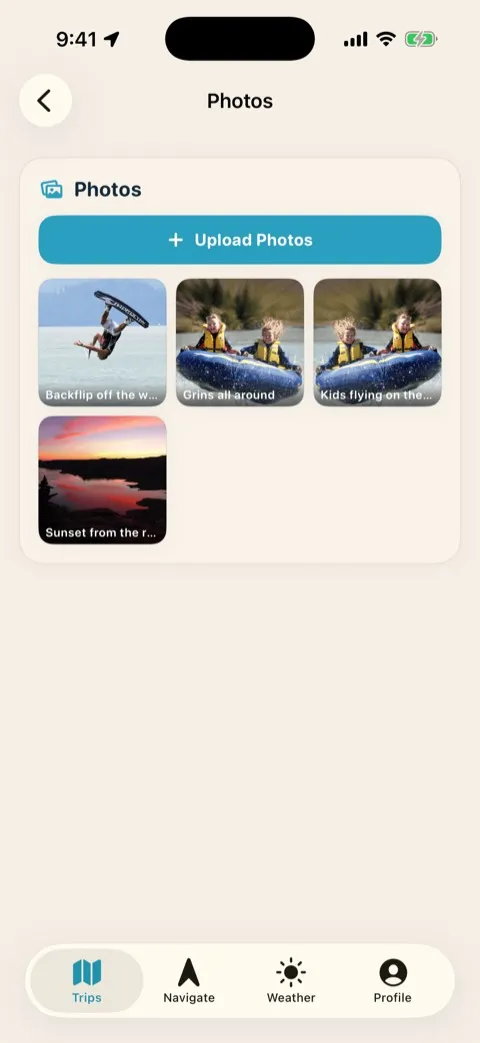
Ten phones take a thousand photos and somehow you end up with none of them. The shared gallery pulls the whole group’s shots into one place, organized by trip — the sunset from the other boat is already in your gallery, and nobody starts a “text me those pics” thread in November.
- One shared gallery — everyone’s shots land in the same place, kept with the trip.
- No chasing photos — what the rest of the group shot is already yours too.
- There when you re-read — the gallery lives right next to the logbook and trip report.
The trip report worth re-reading
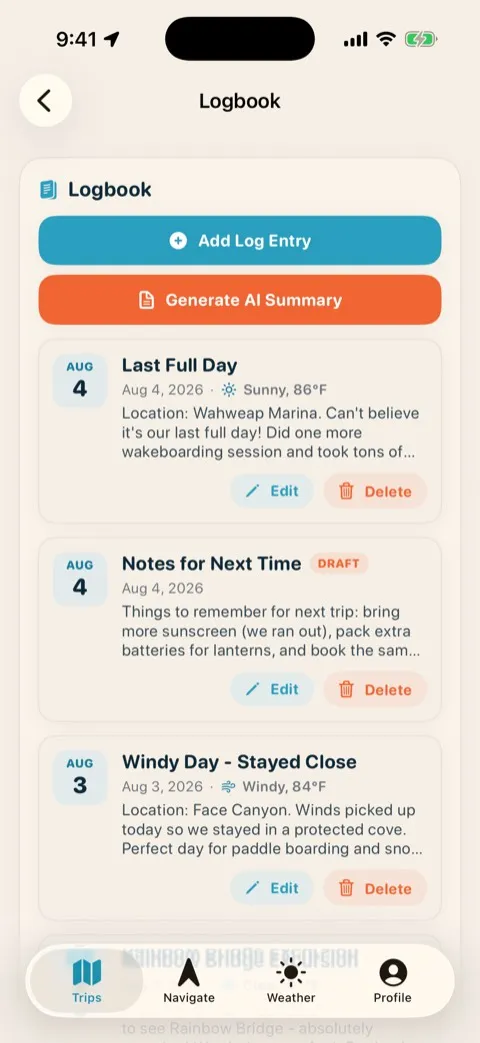
A shared photo gallery, logbook entries, and a one-tap PDF trip report pull the whole trip together — and next year’s trip starts from this year’s notes. The beach you stayed on, the sunscreen you ran out of, the day the wind sent you into a protected cove: it’s all written down, so you never re-learn last year’s lessons the hard way.
- Logbook — where you anchored, what the weather did, what the day was like, logged as it happens.
- Notes for next time — what you forgot, what you ran out of, and the spot worth going back to, waiting for you next season.
- One-tap PDF report — the whole trip, packaged to re-read next winter.
Plan on the desktop, navigate on your iPhone
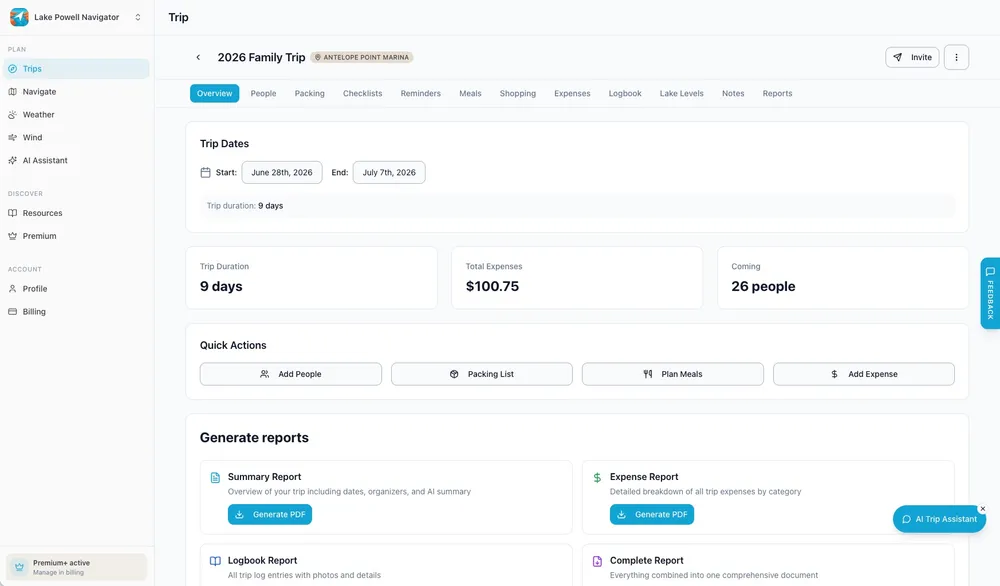
Build the trip at home on a full web app, then head to the lake with it on iOS — same account, same trip, one login. Change the plan on the couch and it’s already updated on the boat.
On Premium+, one subscription covers the whole boat — your crew joins free. See what each plan includes on the pricing section.
Frequently asked questions
How does my group join a trip?
You share one join code. Everyone taps it once and they’re in — no separate accounts to set up or invites to manage. From then on, every change you make syncs to their phone automatically.
Can we split expenses unevenly?
Yes. Split any expense evenly across the group or line-by-line by category, and the app keeps running totals by fuel, food, lodging, and equipment. Smart settlement then reduces everything to the fewest possible payments.
Does everyone need to pay for the app?
No. On Premium+, one subscription covers the whole boat — your crew joins your trip free. See the plans on the pricing section for what each tier includes.
Can I export the trip expenses?
Yes. Export a clean PDF or CSV of who owes what, and a one-tap PDF trip report that captures the whole trip. Nobody has to chase Venmo requests for a month.
One dashboard. Zero group-chat chaos.
Get the whole group, the whole budget, and the whole menu on one screen that stays in sync. Free to try.